How to easily transfer files from Android to MacOS without USB
Every guide wanted an adapter. In a house full of wireless devices, that never felt right.
While, Jack has done a great job in listing here the two methods to transfer files between an Android & a Mac - the issue that I faced was that to follow both the methods I’d have to arrange for USB C to USB adapter and that somehow didn’t feel right with all these wireless technologies available to us from decades now and another few reasons -
-
Don’t want to spend when it can be done for free!
-
I thought of writing that I was being lazy, but I’m writing this blog post in the age of AI! So, no!
Anyway - so here’s how you can transfer the files between a MacOS and Android phone. For those interested here’s what I have -
-
iMac 2019 3.2 GHz 6-Core Intel Core i7 running MacOS Sonoma 14.6.1, Now you know why I’d need the USB C to USB adapter.
-
Google Pixel 7 Pro
Coming back - here’s the one word to solve this issue: Syncthing. This software is available for both MacOS & Android and allows you to specify folders, sync direction and a secure method to transfer the files from one device to another.
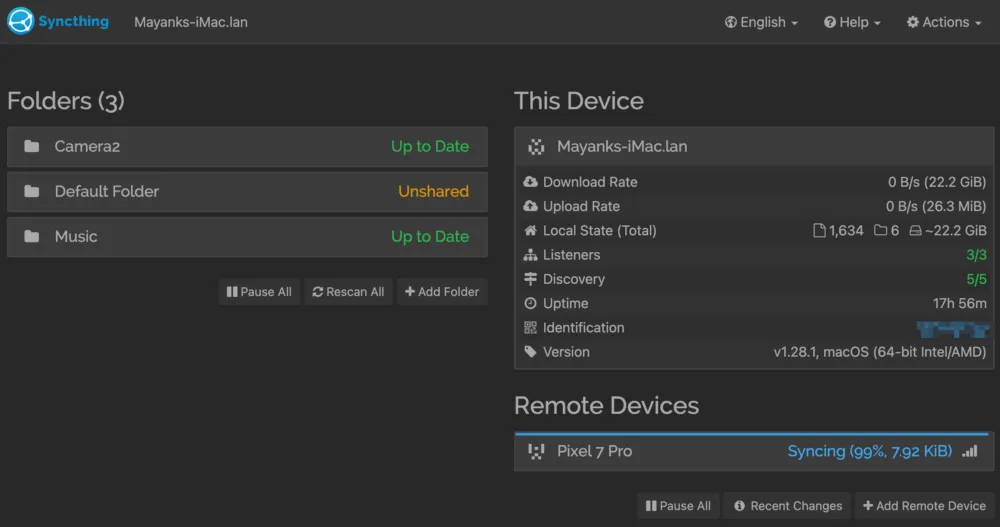 The reason I transfer files from my phone to Mac is to avoid falling in the trap laid by Google Photos - it allows me to make backup of my photos and videos on another device and from here, I upload them on Backblaze as a backup of my backup!
With this strategy, you can save tons of money, have peace of mind. Even though, it’s a software which can feel overwhelming - it offers a wonderful solution to a problem that many of us face - losing money to the big tech, when we shouldn’t!